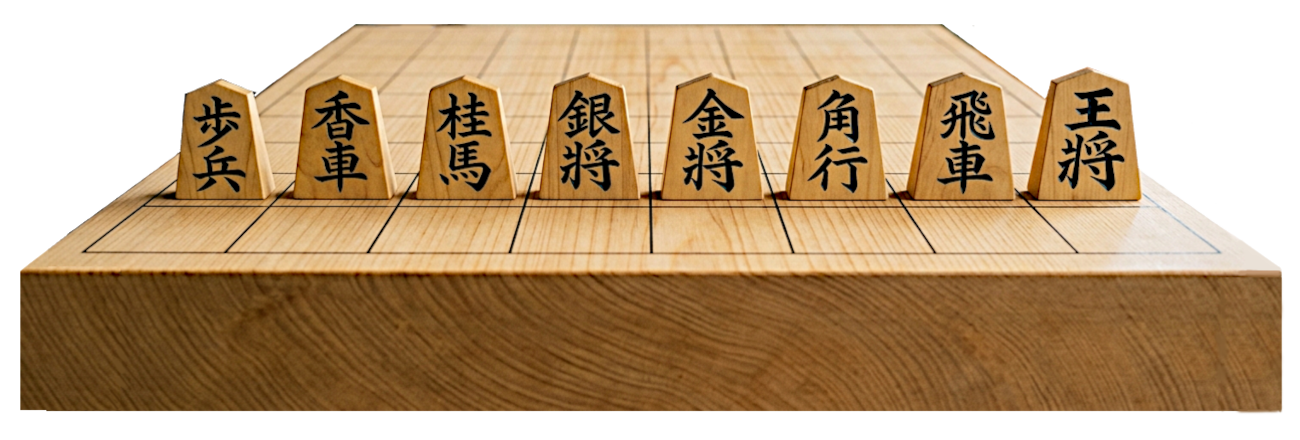
将棋盤のCanvasHTML(統合型)コードで、追加・修正・変更・すべてOKです。将棋盤素材としてご自由にお使いください。
コピペOK
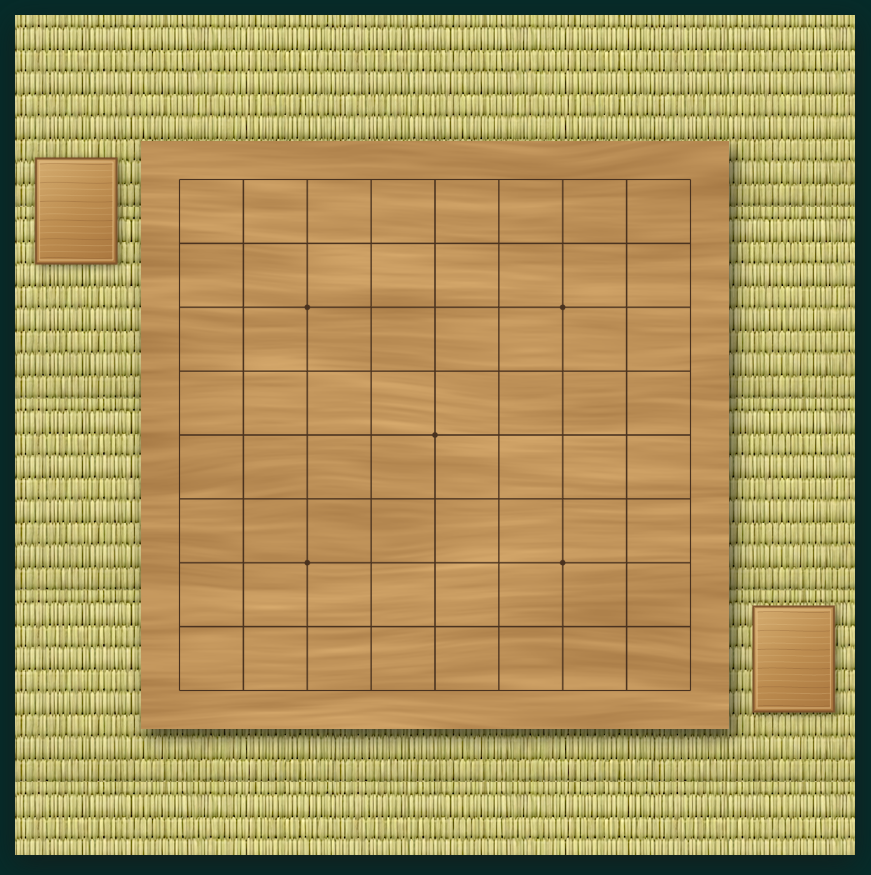
| HTML(統合型) |
<!DOCTYPE html>
<html lang="ja">
<head>
<meta charset="UTF-8">
<meta name="viewport" content="width=device-width, initial-scale=1.0">
<title>リアルな木目の将棋盤</title>

<style>
* {
  box-sizing: border-box;
}

body {
  margin: 0;
  min-height: 100vh;
  display: flex;
  justify-content: center;
  align-items: center;
  background: #052b29;
}

canvas {
  display: block;
  width: min(96vw, 840px);
  height: auto;
  box-shadow: 0 8px 28px rgba(24, 24, 23, 0.712);
}

/* 駒台を含む盤面の表示 */
canvas {
  display: block;
  width: min(96vw, 840px);
  height: auto;
}
</style>
</head>

<body>
<!---キャンバスサイズ---->
<canvas id="board" width="1200" height="1200"></canvas>

<script>
const canvas = document.getElementById("board");
const ctx = canvas.getContext("2d");
// 盤面
const SIZE = 840;
const MARGIN = 55;// 盤面マージン
const GRID_SIZE = 9;// マス目
const CELL = (SIZE - MARGIN * 2) / (GRID_SIZE - 1);

const boardX = (canvas.width - SIZE) / 2;
const boardY = (canvas.height - SIZE) / 2;

// 乱数を固定し、毎回同じ木目を描画
let seed = 123456789;

function random() {
  seed = (seed * 1664525 + 1013904223) >>> 0;
  return seed / 4294967296;
}

// 滑らかな補間
function smooth(t) {
  return t * t * (3 - 2 * t);
}

// 格子状の乱数から滑らかなノイズを生成
function noise(x, y) {
  const ix = Math.floor(x);
  const iy = Math.floor(y);

  const fx = smooth(x - ix);
  const fy = smooth(y - iy);

  function hash(a, b) {
    let n = Math.sin(a * 127.1 + b * 311.7 + 74.7)
          * 43758.5453;
    return n - Math.floor(n);
  }

  const a = hash(ix, iy);
  const b = hash(ix + 1, iy);
  const c = hash(ix, iy + 1);
  const d = hash(ix + 1, iy + 1);

  const top = a + (b - a) * fx;
  const bottom = c + (d - c) * fx;

  return top + (bottom - top) * fy;
}

// 木目テクスチャを生成
function createWoodTexture(size) {
  const texture = document.createElement("canvas");
  texture.width = size;
  texture.height = size;

  const tx = texture.getContext("2d");
  const image = tx.createImageData(size, size);
  const data = image.data;

  for (let y = 0; y < size; y++) {
    const v = y / size;

    for (let x = 0; x < size; x++) {
      const u = x / size;

      // ゆるやかな木目の曲がり
      const warp =
        (noise(u * 3, v * 7) - 0.5) * 0.045 +
        (noise(u * 7, v * 16) - 0.5) * 0.012;

      const grainY = v + warp;

      // 大きな色むら
      const broad = noise(u * 2.5, grainY * 18);

      // 中程度の木目
      const medium = noise(u * 5, grainY * 55);

      // 細く長い木目
      const fine = noise(u * 9, grainY * 145);

      // ごく細かな繊維
      const fibers = noise(u * 18, grainY * 290);

      // 木目の濃淡を調整
      let tone =
          broad * 0.30 +
          medium * 0.35 +
          fine * 0.25 +
          fibers * 0.10;

      tone = Math.pow(tone, 1.18);

      // 自然な明るさの変化
      const light =
        4 * Math.sin(u * Math.PI) +
        2 * Math.sin(v * Math.PI);

      const brightness =
        (tone - 0.5) * 58 + light;

      // 温かみのある黄褐色
      const index = (y * size + x) * 4;

      data[index]     = 190 + brightness;
      data[index + 1] = 145 + brightness;
      data[index + 2] = 88  + brightness * 0.82;
      data[index + 3] = 255;

    }
  }

  tx.putImageData(image, 0, 0);

  return texture;
}


function drawPieceStand(x, y, width, height) {
  // 駒台の影
  ctx.save();
  ctx.shadowColor = "#0007";
  ctx.shadowBlur = 12;
  ctx.shadowOffsetX = 4;
  ctx.shadowOffsetY = 5;

  // 木の色
  const gradient = ctx.createLinearGradient(
    x, y, x + width, y + height
  );

  gradient.addColorStop(0, "#d5ad70");
  gradient.addColorStop(0.5, "#bd8d50");
  gradient.addColorStop(1, "#a9763e");

  ctx.fillStyle = gradient;
  ctx.fillRect(x, y, width, height);
  ctx.restore();

  // 木目を表す細い筋
  ctx.save();
  ctx.beginPath();
  ctx.rect(x, y, width, height);
  ctx.clip();

  for (let i = 0; i < 16; i++) {
    const lineY = y + 8 + i * (height - 16) / 15;

    ctx.beginPath();
    ctx.moveTo(x + 5, lineY);

    ctx.bezierCurveTo(
      x + width * 0.3, lineY - 2,
      x + width * 0.7, lineY + 2,
      x + width - 5, lineY
    );

    ctx.strokeStyle = i % 3 === 0
      ? "#80552d55"
      : "#f1d5a044";

    ctx.lineWidth = 1;
    ctx.stroke();
  }

  ctx.restore();

  // 駒台の縁
  ctx.strokeStyle = "#80552d";
  ctx.lineWidth = 3;
  ctx.strokeRect(x, y, width, height);

  // 内側の縁取り
  ctx.strokeStyle = "#e8c48a";
  ctx.lineWidth = 1;
  ctx.strokeRect(
    x + 5, y + 5,
    width - 10, height - 10
  );
}


// 盤面を描画
function drawBoard() {
  const texture = createWoodTexture(SIZE);

  // 盤の外側の影
  ctx.save();
  ctx.shadowColor = "#0009";
  ctx.shadowBlur = 22;
  ctx.shadowOffsetX = 8;
  ctx.shadowOffsetY = 12;

  ctx.fillStyle = "#bd8c50";
  ctx.fillRect(boardX, boardY, SIZE, SIZE);
  ctx.restore();

  // 木目
  ctx.drawImage(
    texture,
    boardX, boardY,
    SIZE, SIZE
  );

  // 盤の縁 オプション
  /*ctx.strokeStyle = "#80552d";
  ctx.lineWidth = 4;
  ctx.strokeRect(boardX + 2, boardY + 2, SIZE - 4, SIZE - 4);*/

  // 木目に馴染む盤面の格子
  const startX = boardX + MARGIN;
  const startY = boardY + MARGIN;
  const endX = startX + CELL * 8;
  const endY = startY + CELL * 8;

  ctx.beginPath();

  for (let i = 0; i < GRID_SIZE; i++) {
    const x = startX + CELL * i;
    const y = startY + CELL * i;

    ctx.moveTo(x, startY);
    ctx.lineTo(x, endY);

    ctx.moveTo(startX, y);
    ctx.lineTo(endX, y);
  }

  ctx.strokeStyle = "#49321f";
  ctx.lineWidth = 2.1;
  ctx.stroke();

  // 五つの星
  const points = [
    [2, 2],
    [6, 2],
    [2, 6],
    [6, 6],
    [4, 4]
  ];

  ctx.fillStyle = "#49321f";

  for (const [col, row] of points) {
    ctx.beginPath();
    ctx.arc(
      startX + col * CELL,
      startY + row * CELL,
      4,
      0,
      Math.PI * 2
    );
    ctx.fill();
  }
}

// 背景画像
const backgroundImage = new Image();
backgroundImage.src = "tatami.png";

backgroundImage.onload = function () {
  drawScene();
};

backgroundImage.onerror = function () {
  console.error("背景画像を読み込めませんでした。");
};
function drawBackground() {
  const pattern = ctx.createPattern(
    backgroundImage,
    "repeat"
  );

  if (pattern) {
    ctx.fillStyle = pattern;
    ctx.fillRect(
      0, 0,
      canvas.width,
      canvas.height
    );
  }
}
// ノーマル背景
function drawBoardWithStands() {
  // 盤面の位置
  const x = (canvas.width - SIZE) / 2;
  const y = (canvas.height - SIZE) / 2;

  // 相手側:盤面の左上横
  drawPieceStand(
    x - 150,
    y + 25,
    115,
    150
  );

  // 将棋盤
  drawBoard();

  // 自分側:盤面の右下横
  drawPieceStand(
    x + SIZE + 35,
    y + SIZE - 175,
    115,
    150
  );
}

function drawScene() {
  // 1. 背景画像を繰り返して敷く
  drawBackground();

  // 2. 相手側の駒台(左上横)
  const x = (canvas.width - SIZE) / 2;
  const y = (canvas.height - SIZE) / 2;

  drawPieceStand(
    x - 150,
    y + 25,
    115,
    150
  );

  // 3. 将棋盤
  drawBoard();

  // 4. 自分側の駒台(右下横)
  drawPieceStand(
    x + SIZE + 35,
    y + SIZE - 175,
    115,
    150
  );
}
/*drawBoardWithStands();  ノーマル背景用*/
</script>
</body>
</html>
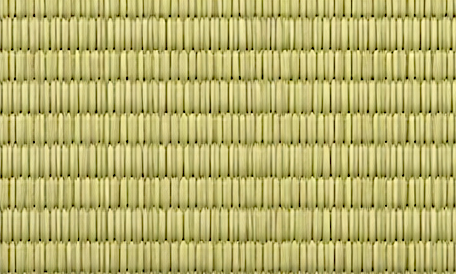
コードに使用している畳背景画像 リピート(タイル)用です。宜しかったらどうぞ。